> ## Documentation Index
> Fetch the complete documentation index at: https://eco-804c21df.mintlify.site/llms.txt
> Use this file to discover all available pages before exploring further.
# FileStore
Eco Executor also has another alternative file system, except that the saving system doesn't use a **DataStoreService.**
## Save to FileStore
Saves the current editing code into the file store, naming the file if the first line in the editor has
```lua theme={null}
--!nameFile FileName
```
The `FileName` is a placeholder name, change to whatever you like.
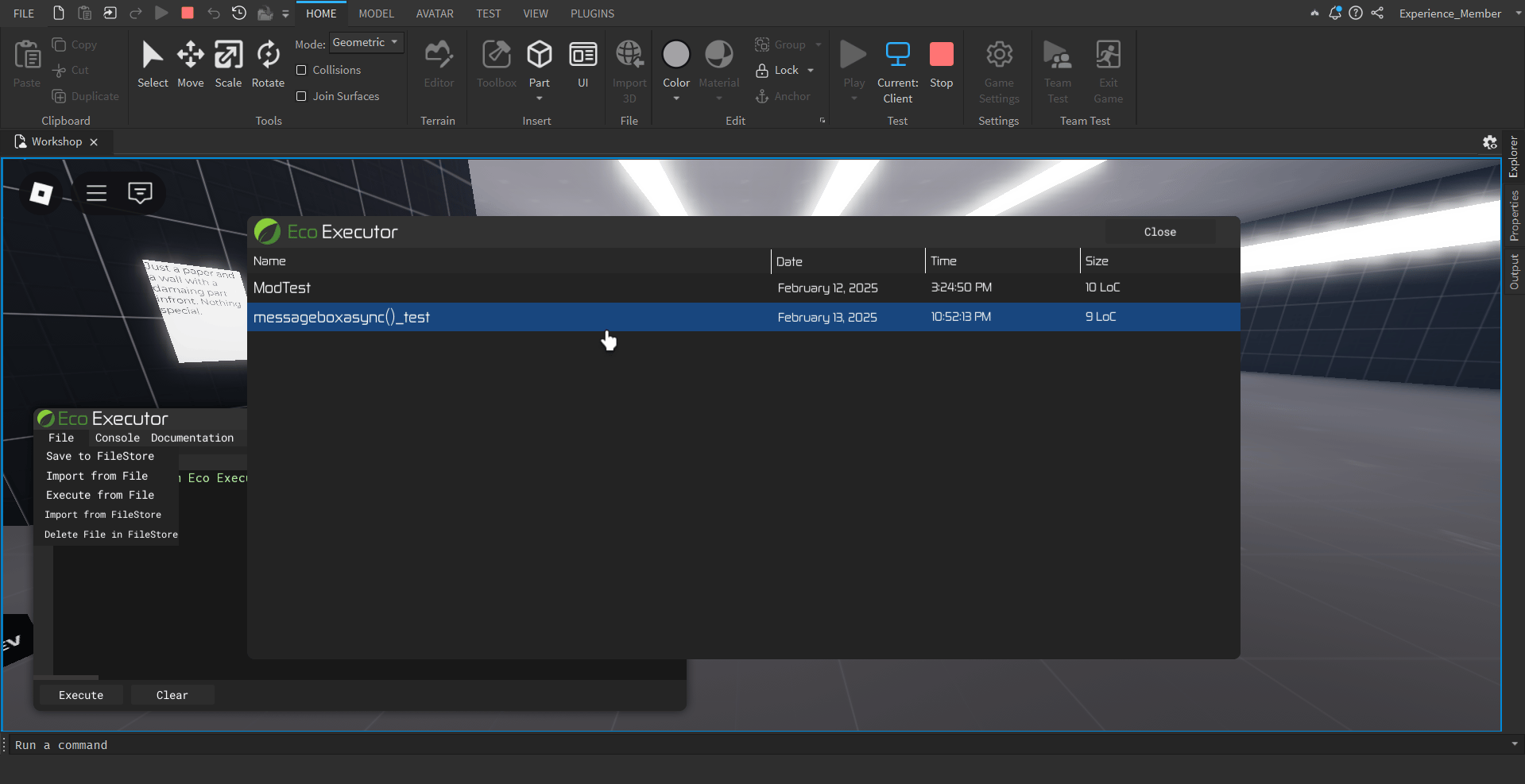
## Import from FileStore
Opens a FileStore UI to view the files saved to import to.
 ## Delete file in FileStore
Deletes a file in the FileStore.
## Overwriting a file in FileStore
There's one more comment directive when saving the file into the FileStore
```lua theme={null}
--!overwriteFile FileName
```
When there is this code in the first line, it will find a file matching the `FileName` And when it does, it will overwrite the file content with the current one.
## Delete file in FileStore
Deletes a file in the FileStore.
## Overwriting a file in FileStore
There's one more comment directive when saving the file into the FileStore
```lua theme={null}
--!overwriteFile FileName
```
When there is this code in the first line, it will find a file matching the `FileName` And when it does, it will overwrite the file content with the current one.